iOS USB edition
EasyClick iOS USB is no-jailbreak automation: write EC scripts, or use the control-center AI Agent (chat + visual workflows) to batch-drive iPhones. Supports iOS 12–27+. Running a saved workflow does not consume LLM tokens. Start with Prerequisites & licensing, then Getting started.
In the new control center, open AI Agent to drive a connected iPhone with natural-language chat, or run batch automation with visual workflows. Running a saved workflow does not consume LLM tokens. Read Prerequisites & licensing first (USB device license + automation IPA or BLE setup).
No-jailbreak iPhone automation for games, office workflows, and QA. EasyClick iOS needs no jailbreak; software automation and BLE HID hardware paths help reduce risk; open APIs support custom control-center products.
Two ways to work
| Approach | Best for | Start here |
|---|---|---|
| AI Agent | No coding; ops, QA, batch runs | Prerequisites → Getting started |
| EC scripting | Developers; complex logic | First project → Script APIs |
| AI-assisted scripting | Cursor / IDEA developers | AI-assisted coding |
- AI Agent: operates connected devices inside the control center (chat + workflow editor).
- AI-assisted coding: use Cursor (etc.) in the IDE to write and compile EC scripts (
.iec).
Quick links
| Topic | Doc |
|---|---|
| AI Agent handbook | Overview |
| FAQ | License / LLM / tokens |
| USB license & environment | Prerequisites |
| Sign IPA / enable automation | USB screen · Sign IPA |
| BLE / OTG | BLE guide · OTG guide |
| UI screenshots | AI Agent screenshots |
FAQ (AI Agent)
Which license do I need? Same as screen license?
You need a USB device license (scripts / AI workflows), not a USB screen license. Binding steps: Prerequisites · Buy license.
Do I have to configure an LLM?
Required for AI chat and AI workflow authoring. Running / trial-running a saved workflow does not need it. See Config & data dirs.
Does running a workflow consume tokens?
No. Trial and batch runs do not consume chat LLM tokens; only AI chat and AI workflow authoring bill tokens. → Full FAQ
UI preview
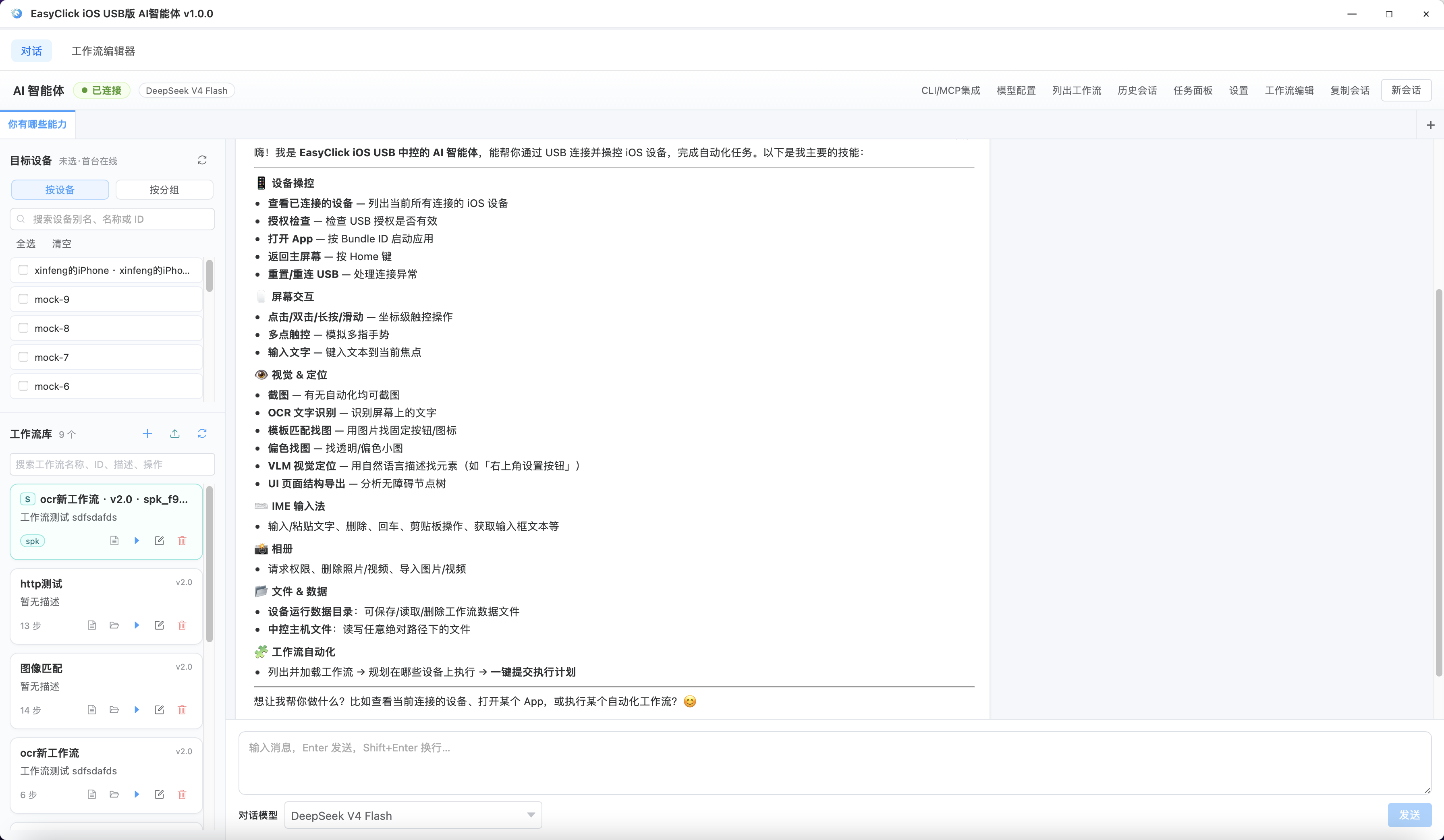
More screenshots: AI Agent screenshots.
Product highlights
- Easy to start: AI Agent needs no code; also supports JavaScript + smart IDE
- Rich APIs, image recognition, free OCR
- Ship standalone
.iec; workflows export as.spkfor read-only client runs - No jailbreak; iOS 12.0 ~ 27.0+
- Randomize taps in a region; color / node find
- OpenCV template matching (high recognition rate)
- Software + hardware (BLE) paths for lower risk
Tooling
- JavaScript with reusable Java libraries
- Smart IDE with live screen sync
- Built-in logs
What you can build
- Chat / workflow batch ops on many iPhones (AI Agent)
- App QA, data extraction, marketing tools
- Crawler-style script scenarios
Who it is for
- Ops / QA who want no-code batch automation → AI Agent
- Developers building complex logic → EC scripts + IDE
- Enterprise App QA teams
Community QQ groups
- Group 1: 777164022 · Group 2: 922739785 · Group 3: 647082990
- Group 4: 772810035 · Group 5: 484379843 · Group 6: 435253761
- Group 7: 397570651 · Group 8: 12076933 · Group 9: 778278905
- Group 10: 205262444